The parent portal gives a parent their own login to look ahead at what their child will be learning. They get the lesson schedule and each week’s parent page, without any access to your teachers’ material.
It’s for the families who want to follow along themselves. You don’t need it to reach parents: the weekly take-home email, Email Parents and parent page links all work for parents without an account. Anyone who does sign up joins your parent list automatically.
What Parents See
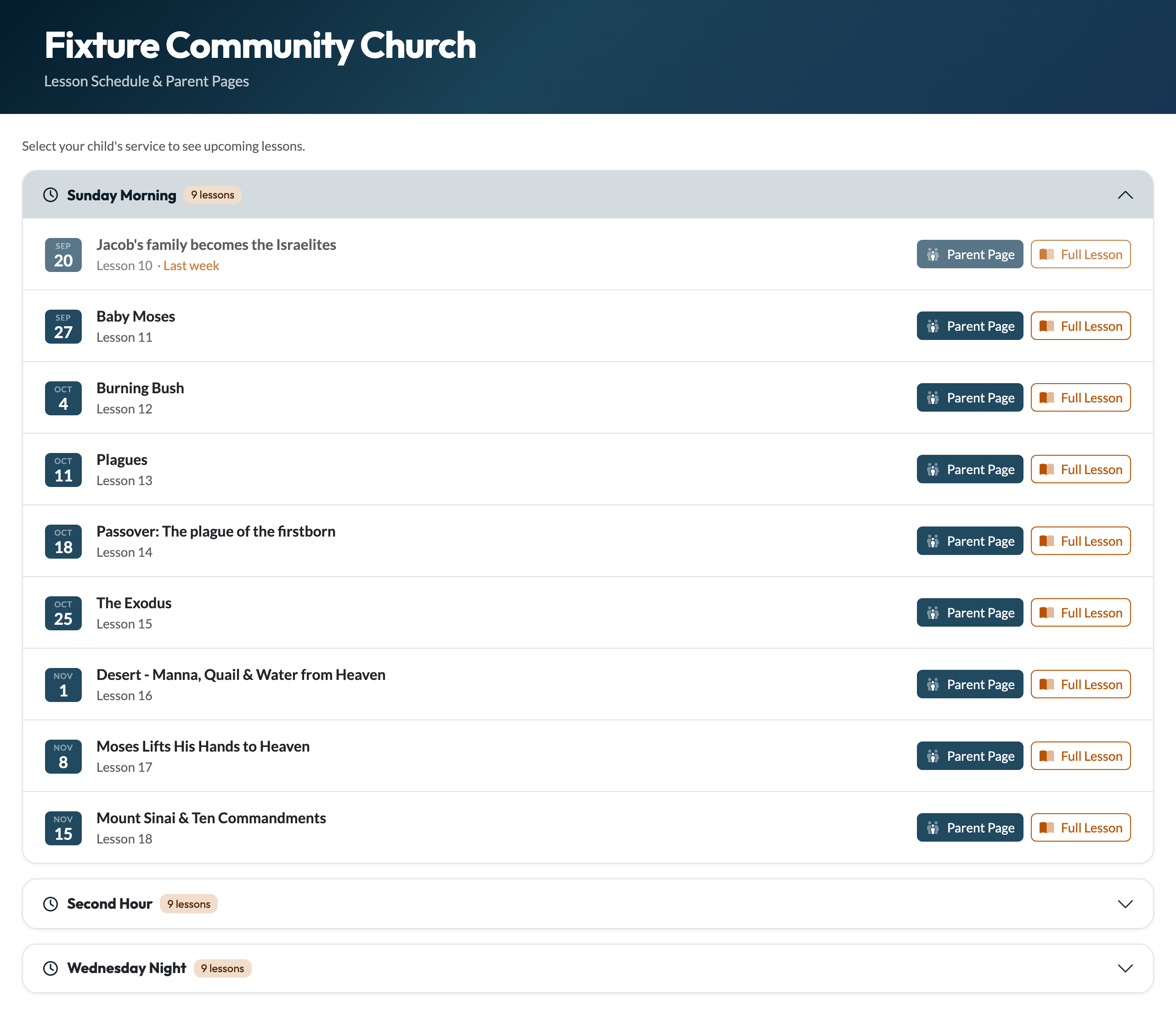
- Last week’s lesson, labelled Last week
- The next 8 weeks of lessons on your schedule
- A Parent Page button for each: a family-friendly summary of the story with discussion questions, which they can also download as a printable sheet
- A Full Lesson link, if they want to see the whole lesson
If you run more than one service, each has its own schedule. Every service starts closed, so parents tap their child’s to open it.
Setting Up Parent Access
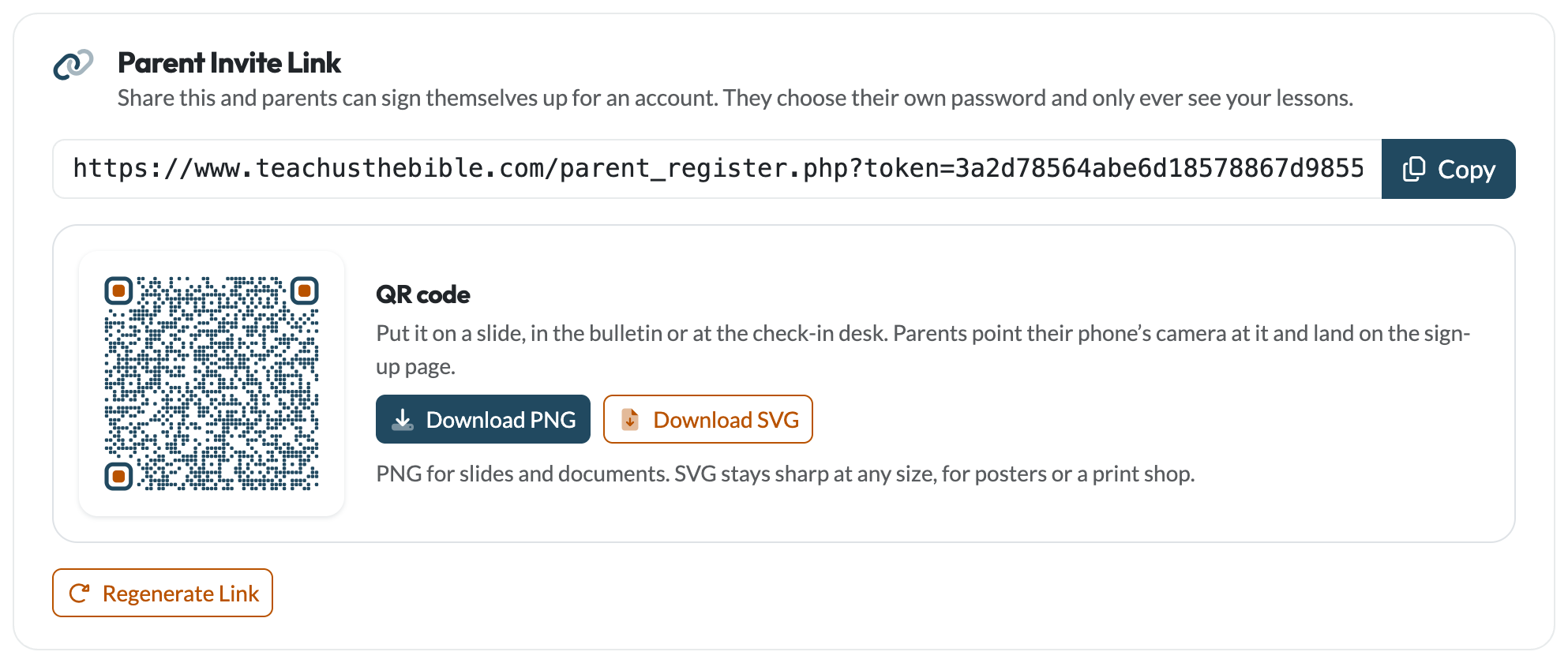
Parents sign themselves up with your ministry’s invite link. Find it on Parent Engagement, under Who your parents are. The same card has a QR code of the link, with Download PNG and Download SVG buttons, so you can put it on a slide, in the bulletin or at the check-in desk and parents can scan it with their phone.
Copy the invite link
It’s created for you. Click Copy.
Share it with parents
Put it in your bulletin, a weekly email or a group text. Anyone who follows it can create a free parent account connected to your ministry. It gives no teacher access: parents only ever see the parent portal.
Parents sign up and log in
They enter their name, email and a password and go straight to the portal. Next time they log in at teachusthebible.com/login.php.
Parents Who Have Signed Up
They appear on your parent list marked Signed up, alongside the parents you’ve added yourself.
- Service: if you run more than one service, the sign-up page asks which one they usually attend, and it’s required. It decides which service’s lesson their weekly email is about. You can change it from the Service dropdown on their row, or in Your Team.
- Removing access: click Remove on their row. They can no longer log in.
Their Email Preferences
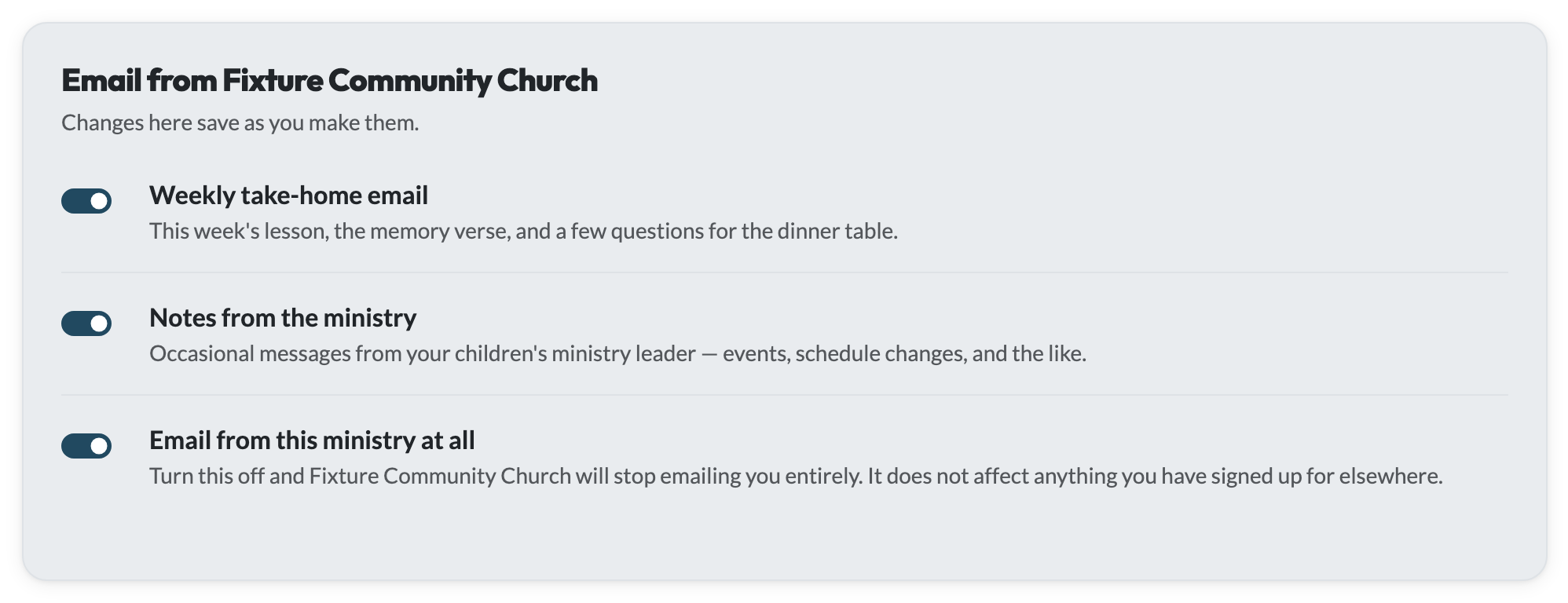
A parent with an account can choose what they get from their Profile: the weekly take-home email, notes from the ministry, or no email from you at all. Changes save as they’re made. These are the same settings every parent can reach from the link at the bottom of any email you send. See Parents Are Always in Control.
Regenerating the Invite Link
To stop new sign-ups on the old link, for example when a season ends, click Regenerate Link. The old link stops working for new sign-ups straight away, and so does any QR code you downloaded or printed from it. Parents who have already signed up aren’t affected. Share the new link when you’re ready to open sign-ups again.
On this page
Supporting parents
- Parent Engagement
- Weekly Take-Home Email
- Email Parents
- Parent Portal
- Take-Home Sheet
Need help?
support@teachusthebible.com